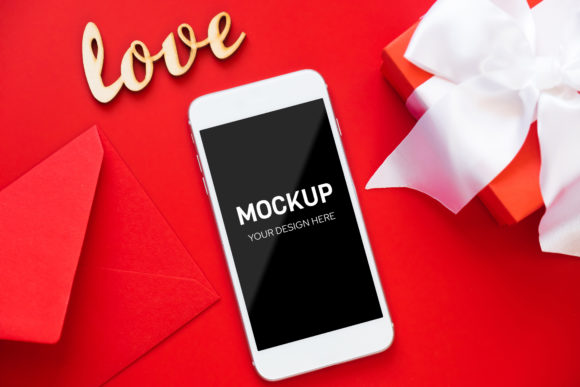
The Power of Smartphone Mockups: Elevating Your Brand Identity with High-Resolution Digital Assets
In the fast-paced world of digital marketing and graphic design, first impressions are everything. Whether you are a mobile app developer showcasing your latest creation, a content creator planning social media posts, or a business owner launching a new product, visual presentation is not just an aesthetic choice—it is a strategic necessity. This is where smartphone mockups come into play. These high-resolution digital tools bridge the gap between a flat design file and a tangible, realistic product experience.
If you have ever struggled to present your UI/UX designs in a way that feels authentic, or if you are looking to streamline your workflow for social media branding, understanding how to utilize smartphone mockup files is essential. In this guide, we will explore what these assets are, why they matter, and how you can leverage them to create professional-grade visuals without needing expensive 3D modeling skills.
What Is a Smartphone Mockup?
A smartphone mockup is essentially a digital template that allows designers to insert their own artwork onto a realistic image of a phone. Think of it as a frame for your design. Instead of presenting a flat JPEG or PNG of an app interface on a white background—which can look sterile and disconnected from reality—you place that design onto a photorealistic device held by a hand, resting on a table, or displayed against a clean studio backdrop.
These templates are typically provided as PSD (Photoshop) files. They are engineered with specific technical features, most notably "smart objects," which simplify the process of updating the design. By using a smartphone mockup, you transform abstract pixels into a relatable scene that potential users can easily visualize themselves interacting with.
The Significance of High Resolution and 300 DPI
When searching for digital assets, you will often see specifications like "high resolution" and "300 DPI." But what do these terms actually mean for your project?
- High Resolution: This refers to the sheer number of pixels in the image. A high-resolution mockup ensures that when you zoom in to check details, the edges of the phone, the screen glare, and the texture of the device remain crisp and sharp.
- 300 DPI (Dots Per Inch): This is the standard quality benchmark for print. While many mockups are used digitally, having a 300 DPI version ensures versatility. If you decide to print a brochure featuring your app or create physical marketing materials, the image will not appear pixelated or blurry.
Using low-quality, compressed images can damage your brand’s credibility. A blurry phone screen suggests a lack of attention to detail, whereas a sharp, high-fidelity mockup communicates professionalism and trustworthiness.
Understanding the Technical Format: PSD and Smart Objects
To get the most out of a smartphone mockup, it is crucial to understand the file format you are receiving. Most professional mockups are delivered in a .zip file containing the main PSD mockup file along with preview files.
How Smart Objects Work
The magic of a PSD mockup lies in its use of smart layer objects. For beginners, Photoshop can seem intimidating, but smart objects democratize the design process. Here is how it works:
- Open the File: Launch the PSD file in Adobe Photoshop.
- Locate the Smart Object: You will see layers labeled "Replace Me" or similar instructions. Double-click on the thumbnail of the smart object layer.
- Paste Your Design: This action opens a new window containing your design at the exact size and perspective required for the screen.
- Save and Update: Once you paste your UI design, save the document (Ctrl+S or Cmd+S). Close the window, and your original mockup file will automatically update with your new design applied seamlessly.
This method preserves the lighting, shadows, and reflections of the original photo mockup. It is significantly faster and more efficient than manually warping and masking images, ensuring that your typography and graphics fit perfectly within the device's bezel.
Digital Download vs. Physical Product
One of the most common points of confusion for new buyers is the nature of the delivery. When you purchase a smartphone mockup online, you are engaging in a transaction for a DIGITAL DOWNLOAD. It is vital to remember that no physical products will be delivered to your doorstep.
You are purchasing intellectual property—a license to use a digital tool. This distinction is important for managing expectations regarding shipping times and inventory. Because these are digital assets, you gain immediate access to your files upon purchase, allowing you to start designing right away. However, because they are digital, you must ensure you have the necessary software (such as Adobe Photoshop) to open and edit the PSD files.
Photo Mockup vs. 3D Render
Designers often debate between using photo mockups and 3D renders. The key difference lies in realism versus flexibility.
- Photo Mockups: These are based on real photographs. They offer unparalleled realism, including natural lighting imperfections, fabric textures, and organic backgrounds. The trade-off is that the angle and composition are fixed. You cannot rotate the phone; you can only change what appears on the screen.
- 3D Renders: These are computer-generated models. They allow for infinite rotation and customization of materials. However, they can sometimes look "too perfect" or artificial if not rendered with high-end software.
For most branding and social media needs, a photo mockup is preferred because it grounds the design in reality. It feels like something a consumer would actually see in their daily life, making it highly effective for emotional connection and engagement.
Practical Applications in Modern Business and Creativity
Why should you invest time in creating smartphone mockups? The applications extend far beyond simple portfolio pieces. Here is how these assets fit into modern workflows:
Social Media Branding
Social media platforms like Instagram, LinkedIn, and Twitter thrive on visual storytelling. A plain screenshot of an app interface rarely stops the scroll. However, an image of that same interface displayed on a sleek smartphone, perhaps placed next to a coffee cup or a pair of glasses, tells a story of lifestyle and utility. Using consistent mockups across your social media feed creates a cohesive brand identity that looks polished and intentional.
App Store Previews and Marketing
For app developers, the App Store and Google Play Store are the primary battlegrounds for user acquisition. High-quality mockups are often used to create composite images that highlight key features of the app. By showing the app in context—being used by a person—you help potential users visualize the value proposition immediately.
Client Presentations
When presenting UI/UX work to clients, context is king. A flat design might look great in isolation, but a client may struggle to imagine how it translates to a real device. Showing the design on a smartphone mockup provides clarity and confidence, demonstrating that you have considered the user experience in a real-world environment.
Common Misunderstandings and Best Practices
To ensure you get the best results from your smartphone mockups, it is helpful to clarify a few common misconceptions.
Typography is NOT Included: Many beginners assume that mockup files come with pre-made text or logos. In most cases, the design applied to the screen is blank or contains placeholder geometry. Design applied typography is NOT INCLUDED. You must bring your own fonts and text elements. This gives you full creative control, ensuring the typography matches your specific brand guidelines rather than a generic template style.
Software Compatibility: Since these are PSD files, they require Adobe Photoshop. If you are a beginner who does not own Photoshop, you may need to look for alternative formats (like Figma or Sketch plugins) or consider learning the basics of Photoshop, as it remains the industry standard for raster graphics editing.
Conclusion
Smartphone mockups are more than just decorative frames; they are powerful communication tools that enhance the perceived value of your digital work. By utilizing high-resolution, 300 DPI PSD files with smart objects, you can effortlessly elevate your designs from flat concepts to immersive visual experiences.
Whether you are crafting social media content, pitching to clients, or marketing a new app, investing in quality mockup assets pays off in increased engagement and professional credibility. Remember to treat them as digital downloads, master the smart object workflow, and always prioritize clear, custom typography to make your brand stand out. In a digital landscape crowded with noise, the right visual context can be the difference between being ignored and being remembered.