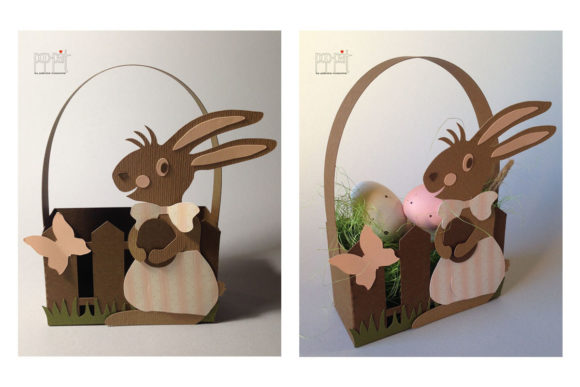
Easter Rabbit SVG Design Guide
The transition from digital file to physical craft is where creativity truly comes alive. For makers, small business owners, and hobbyists alike, the quality of your source files dictates the success of your final project. This guide focuses on a versatile Easter Rabbit design that has been meticulously prepared for cutting machines. Whether you are looking to create a single heartfelt gift or scale up production for a seasonal shop, understanding how to leverage these specific file formats—SVG, DXF, and PDF—is essential for achieving clean lines and professional results.
Understanding the File Formats
Not all digital designs are created equal. The value of this Easter Rabbit asset lies in its multi-format compatibility, ensuring that regardless of your preferred software or hardware, you have access to a high-quality cut path. Here is a breakdown of what each format offers and why it matters for your workflow.
SVG: The Standard for Vector Cutting
Scalable Vector Graphics (SVG) remain the gold standard for vinyl cutters and laser engravers. Unlike raster images made of pixels, vectors are defined by mathematical paths, meaning they can be resized infinitely without losing resolution or clarity. For Cricut users, the SVG file ensures that the delicate details of the rabbit’s ears, whiskers, and decorative elements translate perfectly onto your material.
Important Note for Cricut Users: If you are using Cricut Design Space, do not simply open any file in the package. You must navigate to the folder labeled SVG_Cricut. Inside, you will find notes specifically tailored to optimize the layering and grouping within the Cricut ecosystem. Ignoring these instructions may result in unnecessary layers or misaligned cuts. Reading these notes first will save you time and frustration during the design phase.
DXF: Compatibility with Silhouette and Other Plotters
The Drawing Exchange Format (DXF) is widely used in CAD software and is fully compatible with Silhouette Studio and other plotter brands. If you prefer working outside the Cricut ecosystem, the DXF version provides the same precision as the SVG but in a structure that many vector-based design programs recognize natively. This makes it easier to edit, combine with other graphics, or adjust line weights before sending the job to your cutter.
PDF: Versatility for Printing and Laser Work
While often associated with print documents, PDFs are incredibly useful for laser engravers and those who wish to print their designs on cardstock for hand-cutting or tracing. The PDF included here maintains crisp edges and clear contrast, making it ideal for projects where color separation or detailed shading is required. It also serves as an excellent backup if your cutting machine struggles with complex SVG layer structures.
Creative Applications and Project Ideas
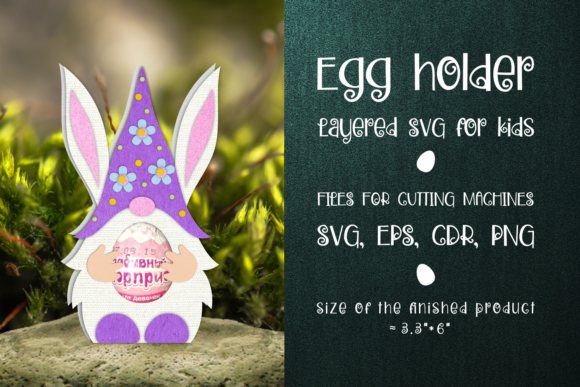
An Easter Rabbit is more than just a silhouette; it is a symbol of spring, renewal, and joy. However, its utility extends far beyond traditional holiday decor. By treating this design as a modular element rather than a finished product, you can adapt it to suit various audiences and platforms.
- Home Decor: Use the SVG to cut vinyl decals for glass jars, creating a cohesive set of storage containers for baking ingredients. The rabbit motif adds a whimsical touch to kitchen organization. Alternatively, use the DXF file to cut wood or acrylic for wall art, layering different colors to create depth.
- Apparel and Accessories: The clean lines of the vector file make it perfect for heat transfer vinyl (HTV) on t-shirts, tote bags, and baby onesies. Consider using metallic HTV for a premium look or glitter vinyl for a festive flair. The design scales well, allowing you to place a large graphic on the back of a shirt or a subtle logo on a pocket.
- Party Supplies: Create custom cupcake toppers, banners, and table confetti. Because the PDF format allows for easy printing, you can produce hundreds of copies quickly. Combine multiple rabbits in different poses to create a dynamic banner that catches the eye at any spring gathering.
- Digital Products: For bloggers and educators, this design can be integrated into printable worksheets, coloring pages, or digital planners. The vector nature ensures that when users download and print the resource, the image remains sharp and professional, enhancing the perceived value of your content.
Tips for Consistent and Professional Results
Achieving a polished finish requires attention to detail from the moment you import the file to the moment you remove the excess material. Here are practical recommendations to keep your workflow organized and your results consistent.
Optimize Your Material Choice
The complexity of the Easter Rabbit design means that thin materials might cause issues with fine details like whiskers or inner ear patterns. Stick to medium-weight vinyl, cardstock, or fabric-backed materials that provide enough stability to hold intricate shapes. If you are working with delicate materials, consider reducing the size of the design slightly to ensure no pieces fall out during weeding.
Master the Weeding Process
Weeding is the process of removing the negative space from your cut design. With a detailed rabbit figure, patience is key. Use a sharp weeding tool to lift small sections without tearing the surrounding vinyl. If you encounter resistance, stop and check if the cut depth was sufficient. Inconsistent cuts often lead to messy weeding, so always run a test cut on a scrap piece of your chosen material before committing to the final project.
Leverage Layering for Depth
One of the biggest advantages of having both SVG and DXF files is the ability to experiment with layering. Instead of a flat single-color design, try cutting the main body in one color and the inner details in another. This technique adds visual interest and makes your projects stand out. Just remember to align your layers carefully using registration marks or alignment tools in your design software.
Adapting to Different Audiences
Versatility is the hallmark of a successful design strategy. A marketer might use the Easter Rabbit as a thematic anchor for a spring sale email campaign, while an educator could use the PDF version to teach children about symmetry and geometry. Entrepreneurs can bundle the SVG files with other spring-themed assets to create comprehensive DIY kits for their customers.
By understanding the technical strengths of each file type, you can tailor your approach to meet specific needs. For instance, use the SVG for high-volume vinyl production, the DXF for custom woodwork, and the PDF for educational printables. This strategic distribution ensures that you maximize the utility of your resources across different channels.
Final Thoughts on Creative Execution
The true power of digital crafting lies in the intersection of technology and human creativity. The Easter Rabbit SVG, DXF, and PDF package is designed to be a robust foundation for your projects, but it is your vision that brings it to life. Take the time to explore the notes in the Cricut folder, experiment with different materials, and don’t be afraid to modify the design to fit your unique style.
Whether you are creating a one-off decoration for your home or building a brand-new product line, the clarity and precision of these vector files will support your efforts. Keep your workspace organized, pay attention to the finer details, and let the versatility of the formats inspire new ideas. In the world of creative entrepreneurship, preparation meets opportunity, and having the right tools in the right format is the first step toward success.