Happy Easter: A Complete Guide to Creating Stunning SVG, DXF, and PDF Cut Files for Your Holiday Decor
Easter is a time of renewal, celebration, and creativity. Whether you are hosting a family brunch, decorating your home with festive touches, or preparing gifts for loved ones, the holiday offers a perfect canvas for personal expression. For crafters who rely on digital cutting machines like Cricut, Silhouette, or Brother Scan-N-Cut, this season presents a unique opportunity to create professional-grade decorations that stand out. The key to unlocking this potential lies in understanding how to effectively use SVG, DXF, and PDF cut files.
If you have ever searched for "Happy Easter" designs online, you have likely encountered these file formats. But what do they actually mean? How do you choose the right one? And most importantly, how can you ensure your designs look flawless when cut? This guide will walk you through everything you need to know about utilizing these digital assets to enhance your Easter crafting projects, ensuring your creations are not only beautiful but also technically sound.
Understanding the Core File Formats: SVG, DXF, and PDF
Before diving into specific Easter designs, it is crucial to understand the three primary file types used in digital cutting. Each format serves a distinct purpose, and knowing the difference will save you time and frustration during the design process.
What is an SVG File?
SVG stands for Scalable Vector Graphics. It is the gold standard for digital cutting, particularly for users of Cricut Design Space and Silhouette Studio. Unlike raster images (like JPEGs or PNGs) which are made of pixels and can become blurry when resized, SVGs are vector-based. This means they are defined by mathematical equations, allowing them to be scaled up or down infinitely without losing quality.
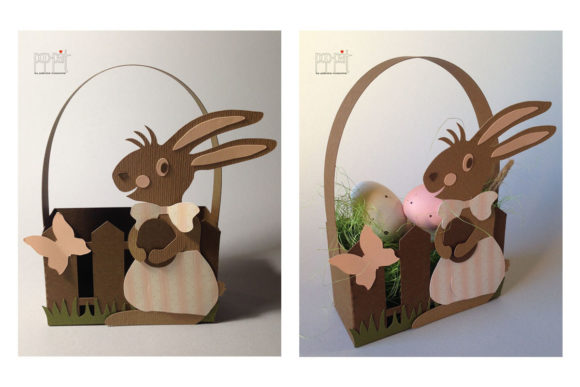
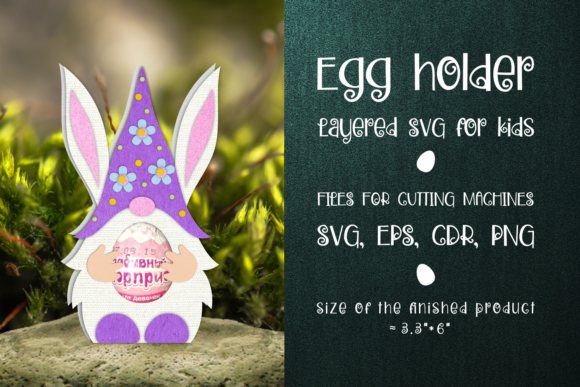
For Easter crafts, SVGs are ideal because they often contain multiple layers. An Easter bunny SVG might include separate paths for the ears, body, and face, allowing you to change colors or materials for each part individually. When you upload an SVG to your cutting software, the machine reads the precise lines needed to cut, weed, or score the material.
What is a DXF File?
DXF, or Drawing Exchange Format, is another vector-based format widely used in the CAD (Computer-Aided Design) industry. However, it has found a strong niche in the crafting world, especially among users of Silhouette Studio. While Cricut primarily favors SVG, many designers provide DXF files as a universal alternative that works across various platforms.
The main advantage of DXF is its compatibility. If you are using older versions of Silhouette Studio (the Basic edition), which may not support SVG uploads, DXF is your best friend. It allows you to import complex shapes and text that can then be manipulated within the software. For simple Easter monograms or geometric egg patterns, DXF files are lightweight and efficient.
What is a PDF File?
PDF (Portable Document Format) is typically associated with documents, but in the context of crafting, it serves two main purposes: printing and scanning. Some Easter designs, especially intricate lace patterns or detailed mandalas, are provided as PDFs intended to be printed on cardstock and then hand-cut or traced. Others are designed specifically for Scan-N-Cut machines, which use computer vision to recognize printed outlines.
When a tutorial mentions "PDF Compatible," it often implies that the file includes registration marks or high-contrast black-and-white lines optimized for scanning. This is particularly useful for beginners who want to practice their cutting skills without needing expensive vinyl or specialized materials immediately.
Compatibility Across Cutting Machines
One of the most common questions among crafters is whether a file bought for one machine will work on another. The short answer is yes, but with some caveats. Modern crafting ecosystems are more interconnected than ever, thanks to robust software updates and universal file standards.
Cricut Design Space
Cricut Design Space is the cloud-based software that powers all Cricut machines. It natively supports SVG files, making the workflow seamless. When you upload an Easter SVG, the software automatically breaks it down into cuttable lines. You can then assign different materials (such as iron-on vinyl, cardstock, or HTV) to different layers. For example, you might use a red SVG for a t-shirt and a green SVG for a paper wreath, all from the same source file.
Silhouette Studio
Silhouette Studio is the counterpart to Cricut’s software. It offers powerful features for advanced users, including node editing and shape manipulation. While it prefers SVG, it handles DXF files with equal ease. If you purchase a bundle that includes both SVG and DXF, you have the flexibility to choose based on your software version. Pro Tip: Always check if your design includes "grouped" elements. In Silhouette, ungrouping allows you to edit individual parts of an Easter chick or basket design.
Brother Scan-N-Cut
The Brother Scan-N-Cut series takes a different approach. Instead of relying solely on digital vectors, it uses cameras to scan physical media. This makes it uniquely suited for PDF files that contain printed registration marks. If you download a PDF Easter template, print it on plain paper, and place it in the machine, the Scan-N-Cut will trace the exact contours. This is fantastic for mixed-media projects where you want to combine hand-drawn elements with machine precision.
Practical Applications for Easter Crafts
Now that we understand the formats, let’s explore how to apply them to real-world Easter projects. The versatility of these files allows for creativity across various mediums.
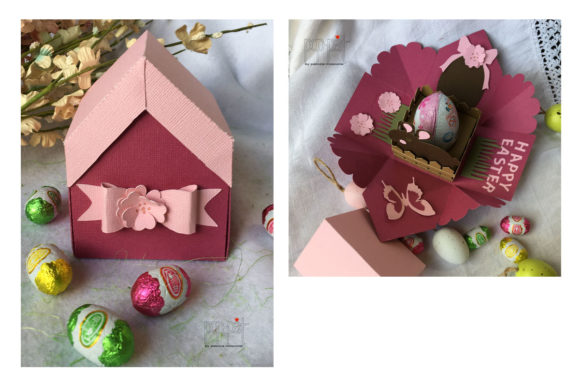
- Home Decor: Create a layered paper garland using SVG files. By alternating between pastel yellow, soft pink, and mint green cardstock, you can build a 3D effect that adds depth to your dining room table. Use the "score" function in your software to create crisp folds.
- Apparel and Accessories: Personalize Easter baskets or tote bags with vinyl decals. An SVG of a bunny holding a carrot can be cut from heat-transfer vinyl (HTV) and pressed onto a cotton shirt. The vector nature of the SVG ensures that even small details, like the texture of the carrot, remain sharp.
- Gift Tags and Cards: Use DXF files to create intricate die-cut style cards. Even if you don’t own a die-cutting machine, you can use a hobby knife to follow the lines, or simply print the DXF-derived image on heavy stock for a professional finish.
- Window Clings: Cut transparent vinyl using SVG designs of eggs or lilies. These make beautiful, removable decorations for spring windows, letting light filter through the delicate vector shapes.
Tips for Success and Common Misconceptions
To get the best results from your Happy Easter cut files, keep these practical tips in mind. First, always check the "cut settings." Different materials require different blade depths and speeds. A setting that works for cardstock will tear through vinyl. Most reputable sellers provide a recommended settings chart, so consult it before starting.
A common misconception is that larger files are better. In reality, complexity matters more than size. A highly detailed SVG with hundreds of tiny nodes might cause your machine to slow down or miss cuts if the material isn’t held firmly. For beginners, start with simpler designs that have fewer overlapping elements.
Another frequent issue is scaling. When you resize an SVG in your software, ensure you lock the aspect ratio to prevent distortion. An elongated bunny ear can ruin the aesthetic of your project. Always preview your design in the software’s workspace before committing to the cut.
Embracing Creativity with Technology
The intersection of traditional holiday crafting and modern digital technology has opened up new possibilities for enthusiasts. Using SVG, DXF, and PDF files allows you to replicate professional designs at home, saving money and offering endless customization options. Whether you are a seasoned crafter looking to expand your repertoire or a beginner eager to try your first project, these digital assets provide a solid foundation.
This Easter, take the time to experiment with these formats. Try combining an SVG layer with a printed PDF background. Use a DXF outline to trace onto wood for a rustic sign. The beauty of digital cutting lies in its adaptability. As you become more comfortable with your software—be it Cricut Design Space, Silhouette Studio, or Scan-N-Cut—you will find that the technical barriers fade away, leaving only the joy of creation.
Remember, the goal is not just to produce a product, but to enjoy the process. Share your creations on social media using hashtags related to #EasterCrafts and #CrictCommunity. You might inspire others to join the crafting journey. With the right tools, knowledge, and a little bit of patience, your Happy Easter projects will be nothing short of spectacular.
In conclusion, mastering the use of SVG, DXF, and PDF files is an essential skill for any modern crafter. These formats bridge the gap between digital imagination and physical reality. By understanding their strengths and compatibilities, you empower yourself to bring your festive visions to life with precision and pride. So, load up your machine, select your favorite Easter design, and start creating memories that last long after the holiday ends.