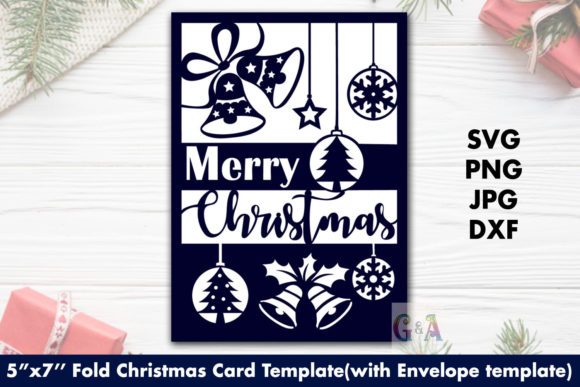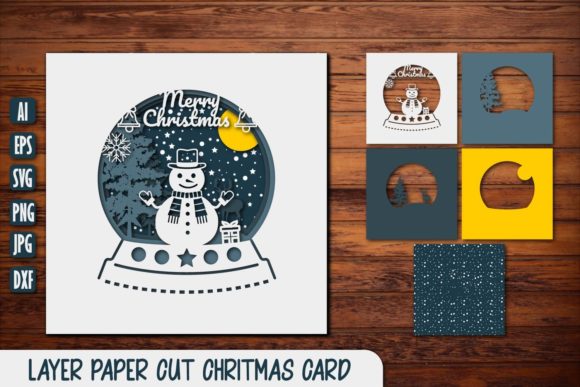
Christmas Greeting Card Mockup
The holiday season is approaching, and whether you are a small business owner preparing your end-of-year sales push, a blogger planning festive content, or simply someone who wants to send thoughtful digital greetings, the visual presentation of your message matters more than ever. A Christmas Greeting Card Mockup serves as the bridge between a raw design concept and a polished, professional final product that resonates with viewers on social media, email newsletters, or online marketplaces.
This resource is not just a static image; it is a high-resolution PSD file designed to streamline your workflow. By utilizing smart layer objects, you can instantly visualize how your typography, illustrations, or brand elements look against a realistic backdrop. This guide explores how this specific mockup fits into various workflows, why its format matters, and what you need to know before you download and use it.
Understanding the Format: What You Are Actually Getting
Before diving into applications, it is crucial to understand the technical nature of this asset. When you purchase or download this Christmas Greeting Card Mockup, you are receiving a digital tool, not a physical card. The package typically includes a .zip file containing the main PSD mockup file and a preview JPEG.
The core feature here is the smart object. In Adobe Photoshop, a smart object allows you to paste your own design directly onto the card surface. When you save the file, your design updates automatically within the mockup’s lighting, shadows, and perspective. This means you do not need advanced graphic design skills to make your work look professional. You simply place your art, hit save, and you have a photorealistic representation of your greeting card in a real-world setting.
It is important to note that this is a photo mockup, not a 3D render or vector illustration. This distinction affects the texture and realism. Because it is based on photography, it captures the subtle imperfections of paper grain, lighting reflections, and environmental context that 3D models often miss. Additionally, the typography applied in the preview is not included. This is actually a benefit for many users, as it provides a clean slate for your own branding without legal issues regarding font licensing.
Real-World Applications for Creators and Entrepreneurs
The versatility of a Christmas Greeting Card Mockup extends far beyond simple holiday wishes. Here is how different professionals can leverage this asset in their daily operations.
Social Media Marketing and Branding
For marketers and influencers, visual consistency is key. During December, feeds become cluttered with promotional noise. Using a high-quality mockup helps your brand stand out by presenting offers, discounts, or seasonal announcements in a visually appealing context. Instead of posting a flat text graphic, you can show a beautifully designed card resting on a wooden table with festive props. This creates an emotional connection with the audience, suggesting warmth and authenticity rather than just a corporate sale.
Etsy Sellers and Digital Product Creators
If you sell digital planners, printable art, or stationery sets on platforms like Etsy, your listing images determine your click-through rate. A Christmas Greeting Card Mockup allows you to showcase your digital downloads in a tangible way. Buyers cannot touch the product, so they rely heavily on visuals to imagine the quality. By using this mockup, you demonstrate how your digital design would look when printed, reducing buyer hesitation and increasing conversion rates.
Email Marketing Campaigns
Newsletter open rates can dip during the holidays as inboxes fill up. Including a mockup image in your email header can break the monotony of plain text or generic banners. It signals to the subscriber that this is a special, curated message. Whether you are thanking loyal customers or announcing a limited-time holiday bundle, the visual cue of a greeting card suggests personal care and attention to detail.
Use Cases for Educators and Hobbyists
While commercial applications are obvious, this mockup is equally valuable for non-business users.
Classroom Activities and Projects
Educators teaching graphic design, marketing, or even basic computer skills can use this mockup as a teaching aid. It provides a safe, template-based environment for students to experiment with layout, color theory, and typography without needing complex software knowledge. Students can create their own holiday cards, apply them to the smart object, and see immediate results, which boosts engagement and learning retention.
Personalized Gifts and Family Updates
On a personal level, creating custom family Christmas cards has become easier thanks to tools like this. Parents can compile photos of their children from the year, add a heartfelt message, and use the mockup to preview how the final card will look before sending it to relatives. It adds a layer of professionalism and thoughtfulness to personal correspondence, making the digital version feel as special as a mailed letter.
Why High Resolution and 300 DPI Matter
You may wonder why the specification of 300 DPI (dots per inch) is emphasized. In the world of print and high-density screens, resolution is everything. If you plan to print your greeting card designs at any size larger than a standard postcard, you need a source file that retains clarity.
A 300 DPI resolution ensures that when you zoom in or print your design, there are no pixelated edges or blurry text. Even if you are only using the mockup for web purposes, modern smartphones and high-resolution monitors display images sharply. A crisp image subconsciously signals quality to the viewer. Conversely, a low-resolution mockup can make even the best-designed card look amateurish and untrustworthy.
Practical Considerations Before You Start
To get the most out of your Christmas Greeting Card Mockup, keep these practical tips in mind:
- Check Your Software Compatibility: Ensure you have access to Adobe Photoshop or compatible software that supports PSD files and smart objects. Free alternatives like Photopea can also open these files, but functionality may vary slightly.
- Design Within Safe Zones: When placing your design into the smart object, remember that the card has folds, shadows, and perspective distortions. Avoid placing critical text or logos too close to the edges where they might be obscured by shadows or difficult to read.
- Color Management: Screens display colors differently than printers. The mockup shows you how the design looks on a screen. If you intend to print the final card, adjust your colors to account for CMYK printing limitations, as RGB screen colors often appear duller in print.
- Lighting Consistency: Since this is a photo mockup, the lighting direction is fixed. Try to match the mood of your design to the lighting in the mockup. A dark, moody design might clash with a bright, airy background, while a warm, golden design will complement it perfectly.
Final Thoughts on Efficiency and Impact
Time is a scarce resource during the holiday season. A Christmas Greeting Card Mockup saves hours of manual editing. Instead of spending time trying to manually add shadows and highlights to your flat designs, the smart object handles the heavy lifting. This efficiency allows you to focus on what truly matters: crafting meaningful messages and connecting with your audience.
Whether you are boosting your brand’s visibility, selling digital products, or simply sharing joy with loved ones, having the right tools makes a significant difference. This mockup provides a professional foundation that elevates your work, ensuring that your Christmas greetings are seen, appreciated, and remembered. Remember, while the technology facilitates the process, it is the sincerity behind your design that ultimately delivers the holiday spirit.